Key points
- With no dedicated device, the smartphone a guest already carries keeps reporting position and detects falls, leaving the area and failing to return.
- Even if the phone dies or sinks, the server finds anyone who has not returned and raises the alert on its own.
- Operators draw areas and watch operations on the PC, and board guests and check the scene by phone at the dock.
What the app does
It keeps people safe on the sea, rivers and lakes with nothing but a smartphone. No dedicated device and no monthly data plan — the phone a guest already carries keeps reporting its position and notices when something goes wrong.
There are two kinds of users. Guests simply keep the app running; the leisure operator watches who is where and who is at risk from a PC control console and a phone app. Drawing areas on the map and registering boats happen on the PC; boarding guests at the dock happens on the phone.
For guests — boarding, status, SOS
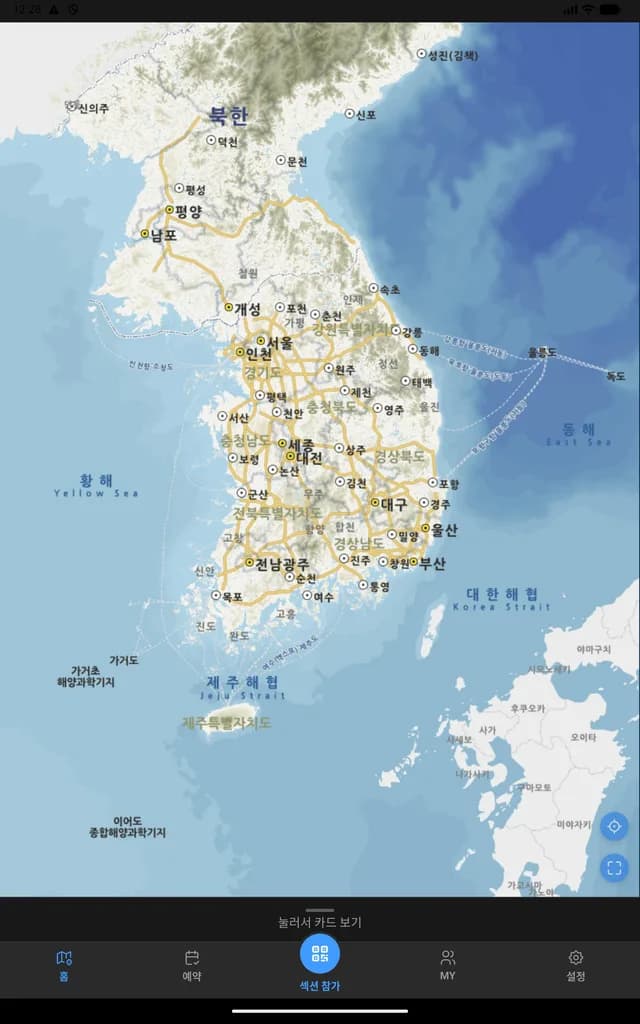
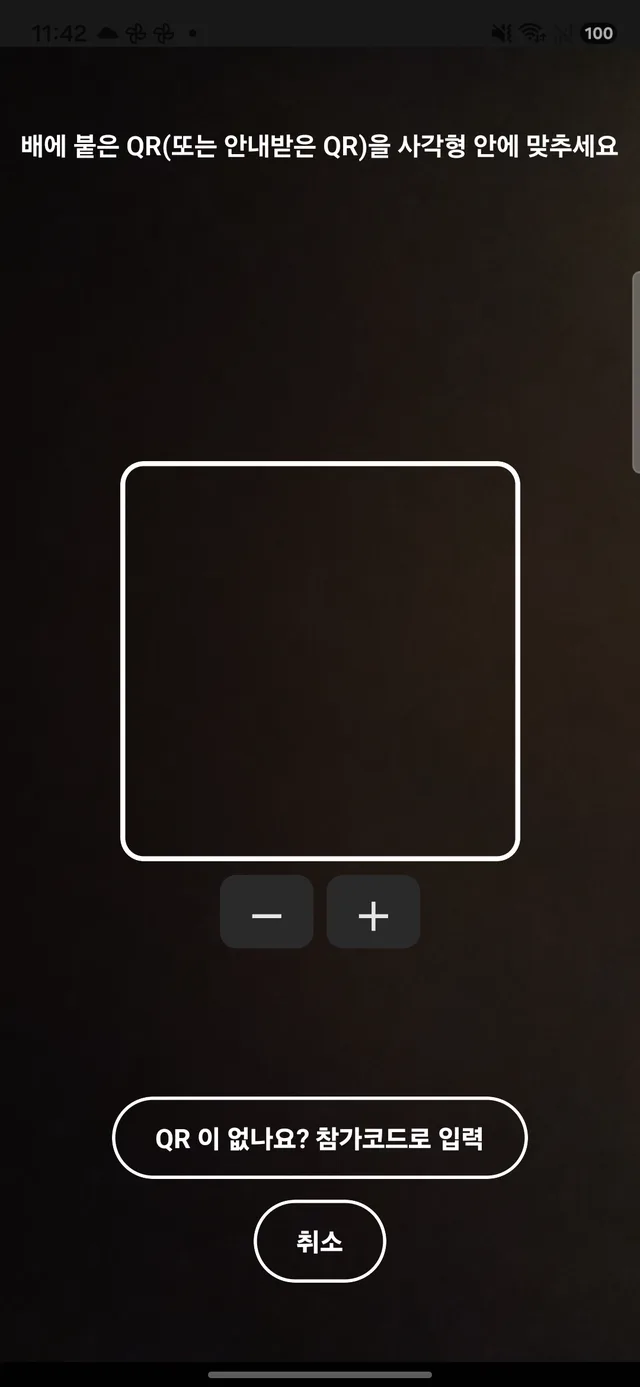
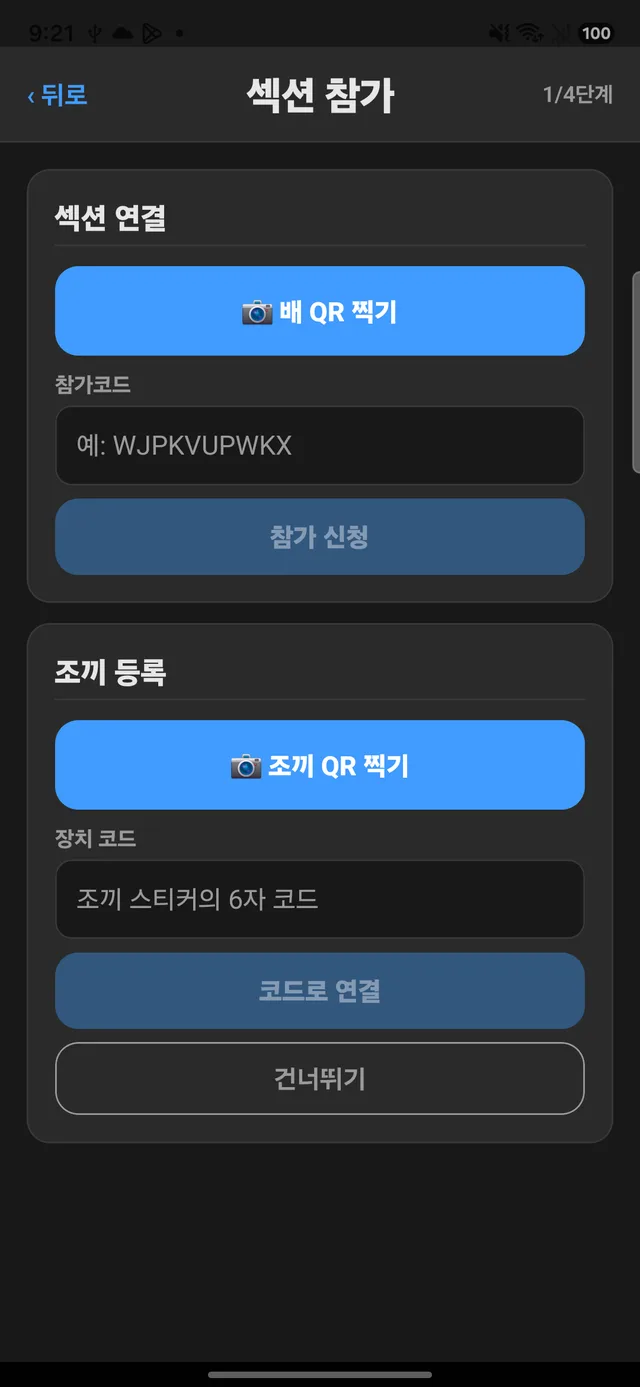
Scanning the boat's QR code at the dock joins that boat's activity, and from that moment the control room can see you. Without the QR code, a join code works too. When the activity ends, tracking ends with it.
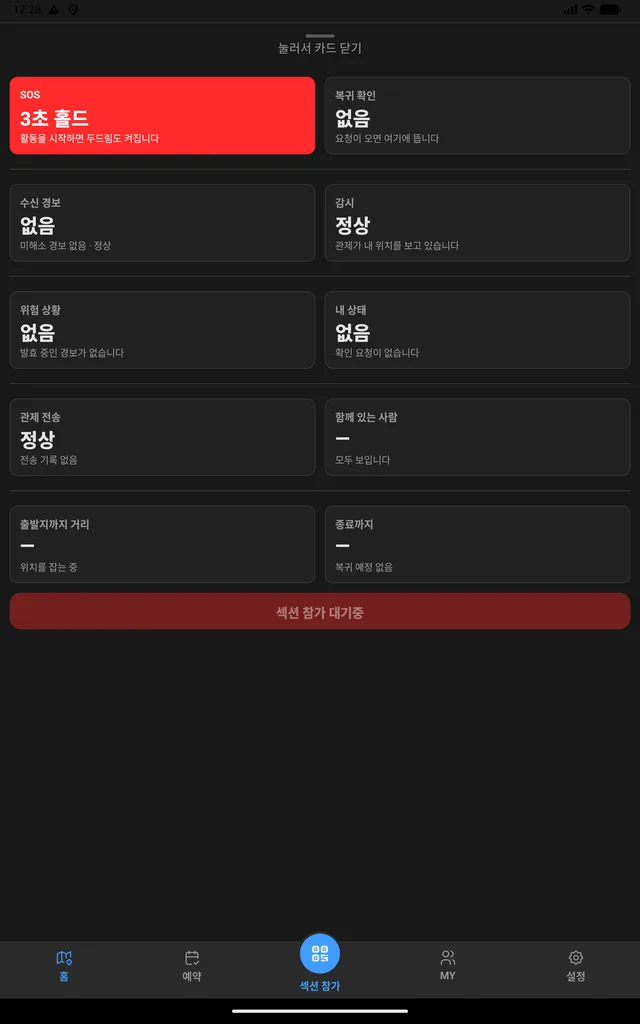
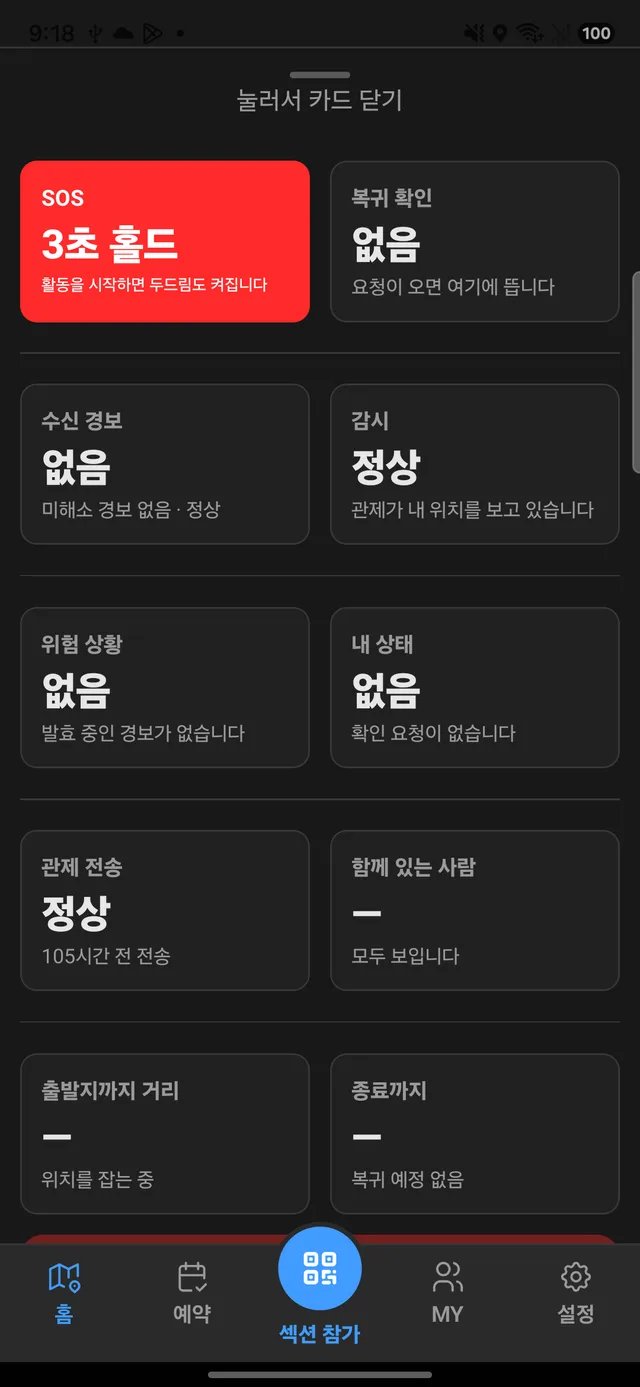
At the bottom of the home screen, ten cards gather the current state — SOS, monitoring, upload to control, incoming alerts, return check and more. Holding SOS for three seconds reaches the control room; when the screen can't be seen, slapping the phone with a palm works too. A false alarm is cancelled by tapping the phone three times.
For guests — sensors, alert readiness, water sensor
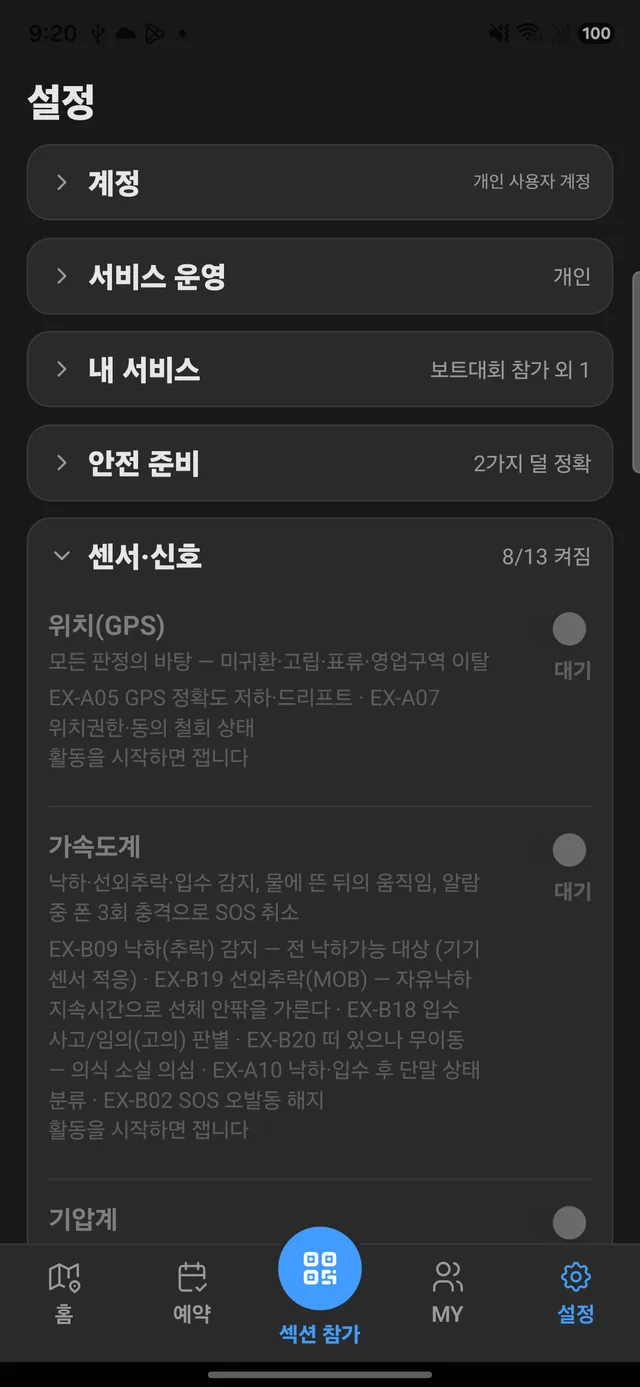
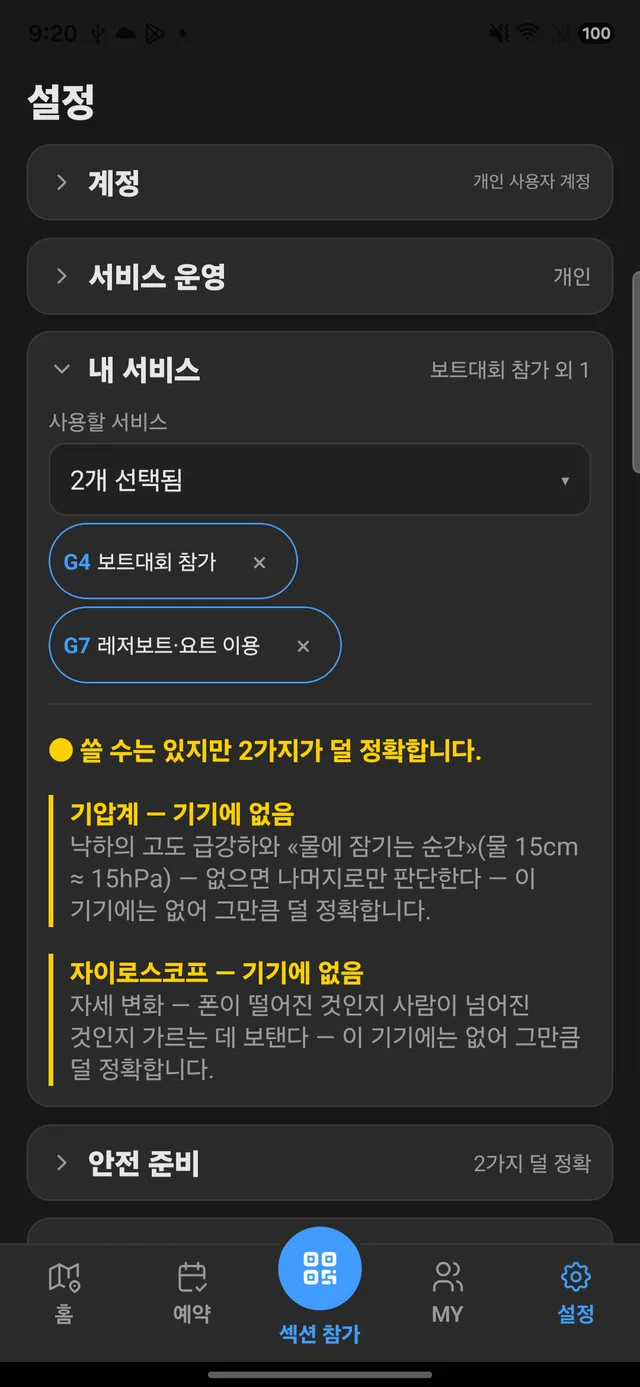
Every phone has a different set of sensors. The app shows which of GPS, accelerometer, barometer and gyroscope this phone has, and what each one is used to judge. If one is missing, it also says what becomes less accurate.
When a guest picks the services they will use — say, a boat race or a leisure boat ride — the app highlights in yellow which sensors those activities need but this phone lacks, and which judgments become less accurate as a result.
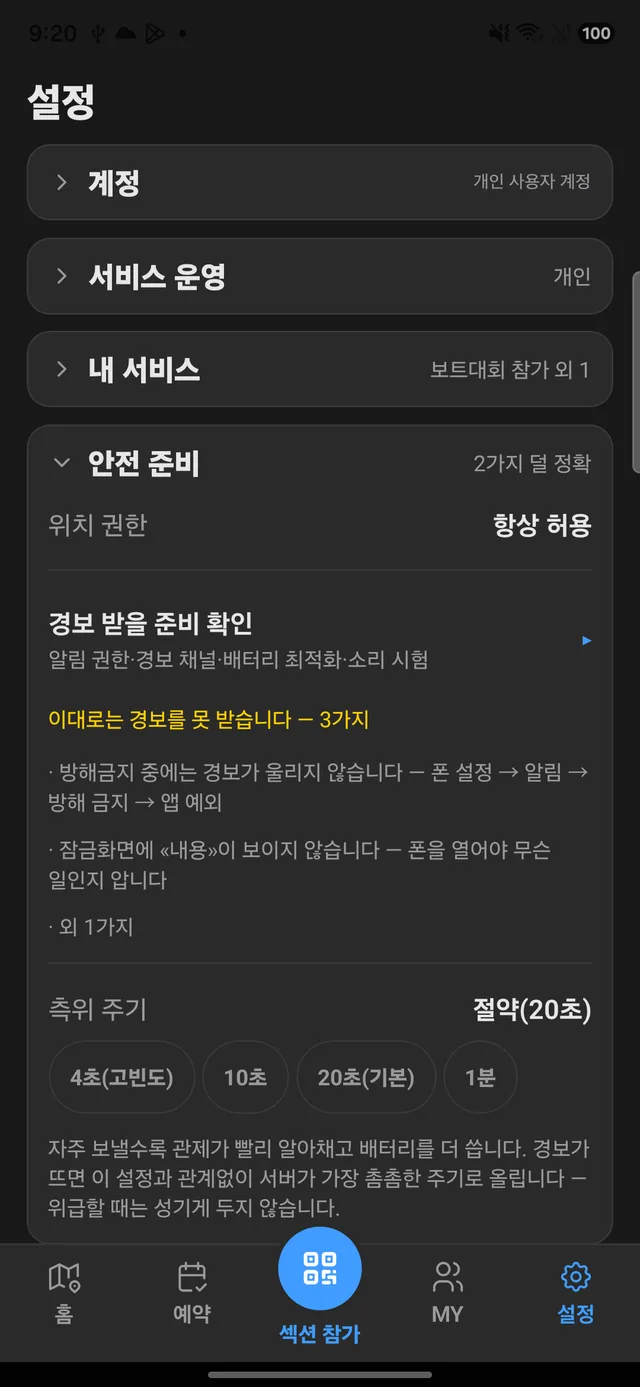
If Do Not Disturb or notification permissions would keep an alert from being heard, the app points it out before the activity starts. The position reporting interval is chosen here too — the more often, the sooner the control room notices, at the cost of battery.
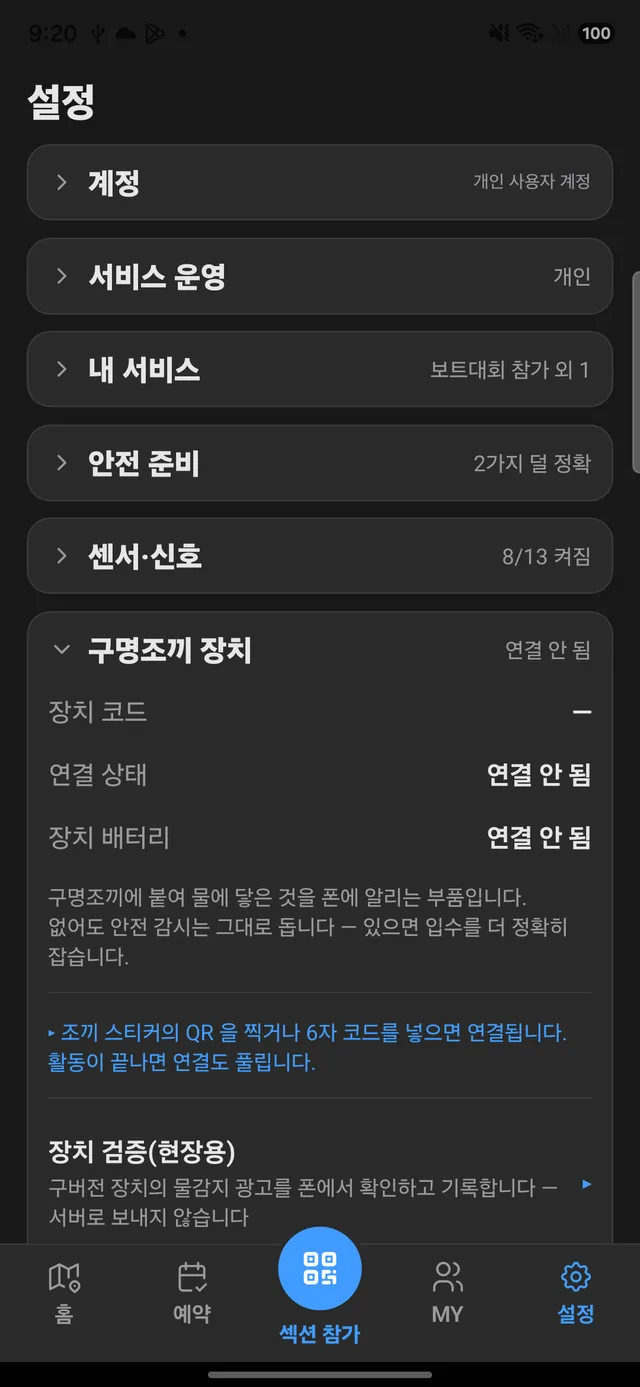
Pairing a small water sensor attached to the life jacket turns "in the water" from an estimate into a confirmation. Without it, the app works just the same.
For operators — roll call, alerts, daily log
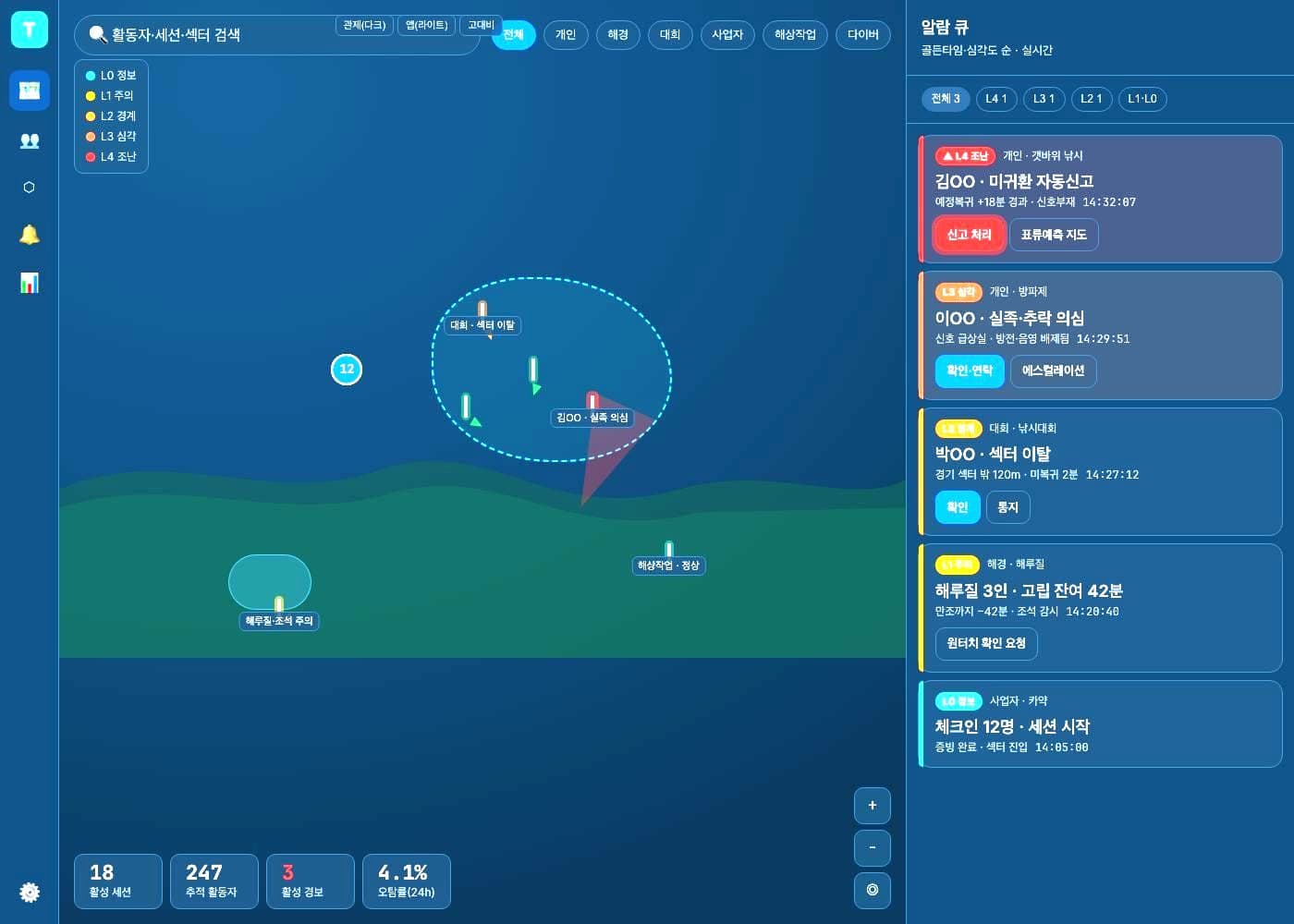
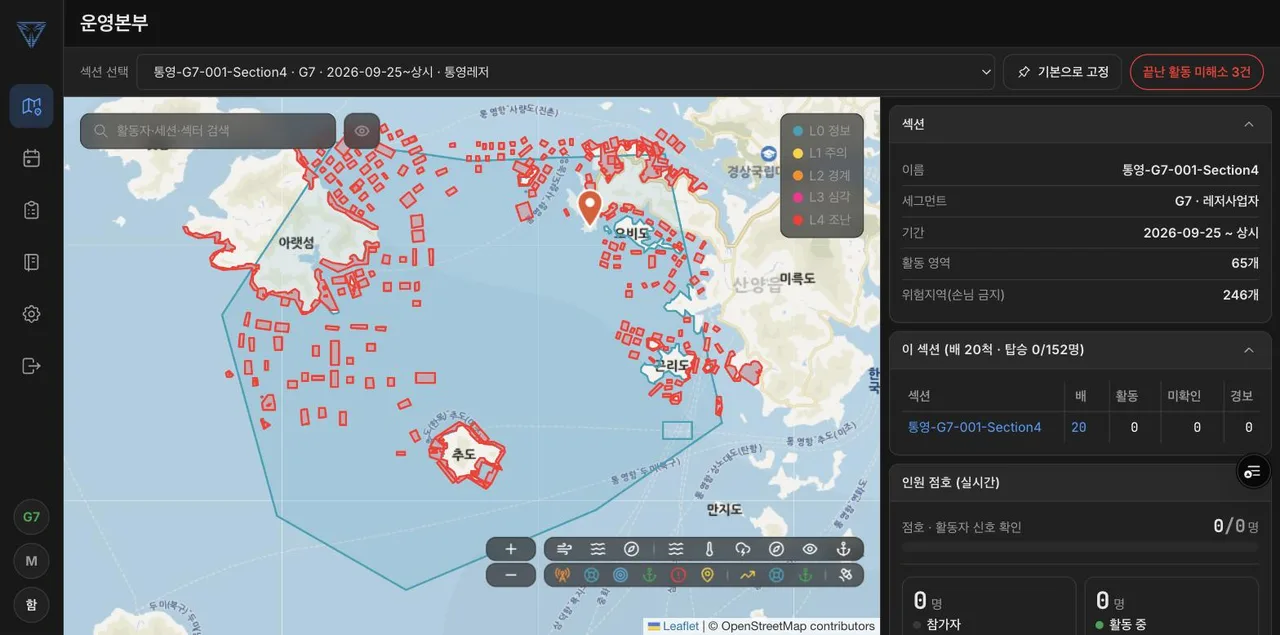
The PC operations screen puts the map on the left and people roll call, per-boat roll call and live alerts on the right. The top shows, in large figures, how many of everyone are reporting properly; because people at sea are counted by boat, each boat gets a line with its headcount and how many have lost signal. Operating areas and hazard zones are drawn directly on the same map.
Alerts have five levels — from record-only, to a notification, to control-room watch, to a phone alarm plus calls and texts to the manager, to distress — and they climb one level at a time on their own when the guest does not respond. At day's end a daily log sums up trips, tracked people, alerts, false alarms and incidents on one page, ready to print or download as CSV.
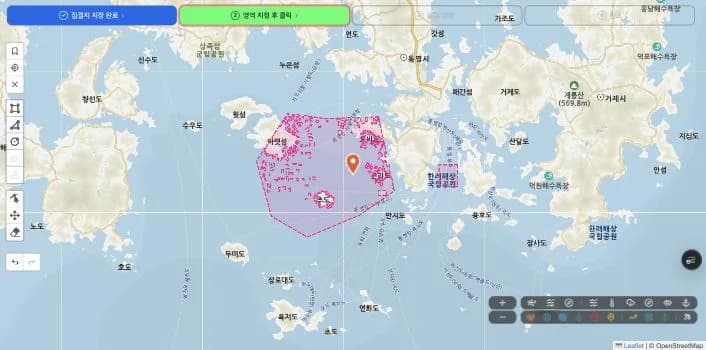
An operating section is built on the PC map in order: mark the assembly point, draw the area boats will operate in, then adjust the hazard zones inside it. The finished section is used right away for leaving-the-area and hazard-zone checks on guests' phones.
What is inside
Judgments are made by the server, not the phone. On a fixed schedule the server scans every activity and finds anyone past their return time whose position has stopped arriving — so an overdue alert keeps going even if the phone sinks or dies. It also weighs whether the silence is a dead battery, a weak-signal area or an accident before setting the level.
A fall overboard is judged from the falling motion caught by the accelerometer together with signs of being submerged. Tide and current data are collected by the server on a schedule and used to gauge the risk of being cut off or drifting away.
Positions are never thrown away when the link drops. Unsent points pile up on the phone and upload together once the connection returns, and the pre-departure check and signature can be done offline first. The route home is calculated on the phone itself, so it works without signal. The control screens reload the latest state every five seconds.
Development record
Want something like this?
The subject line will note which project brought you here.
I reply within one to three business days.
Enquire by email